Buyer Guide & Comparison
CertifyPress Free vs Pro: Which is Better for Schools, Events, Training Institutes Certification?
Find out whether the free version is enough for your project, or if your school, training academy, or event needs the power of CertifyPress Pro.
Quick Answer: Which One Do You Need?
- Choose Free: If you are testing the plugin on a demo website or only need to publish a small handful of certificates by typing them in one by one.
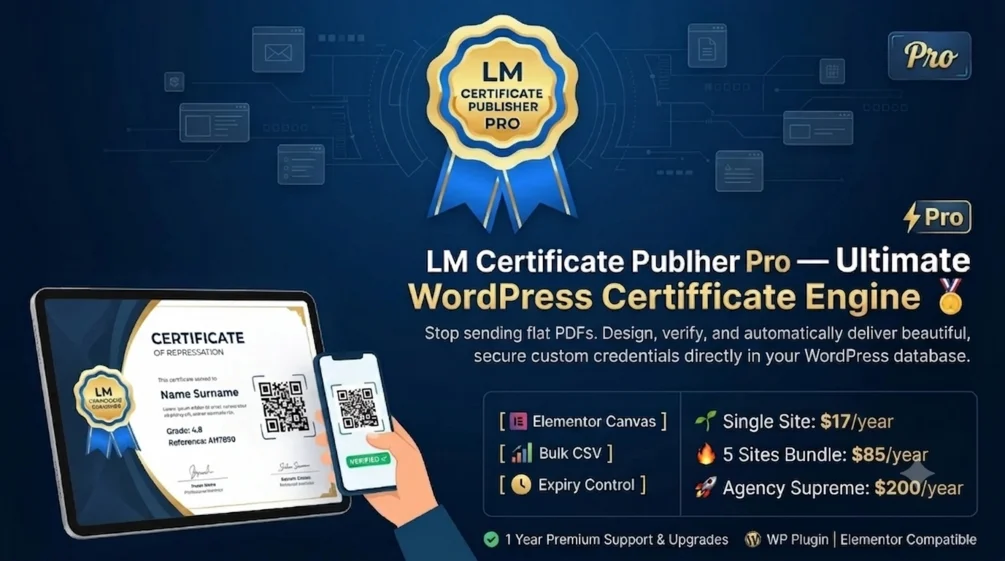
- Choose Pro (v1.3.0): If you run a school, college, training center, or conference. You get instant QR code scanning, downloadable PDF certificates, bulk student uploads with CSV files, and visual design templates with Elementor.
- Version 1.4 Update Coming Soon: If you manage multiple types of credentials (like Diplomas + Event Badges + Staff IDs), the upcoming version 1.4 will let you run them in completely separate post types.
Creating certificates on WordPress used to be complicated. Most website owners had to choose between simple image files that anyone could fake, or expensive third-party software that charges fees for every single certificate you create.
CertifyPress solves this problem by turning your WordPress site into a complete, self-hosted certificate and verification system. All your data stays safely inside your own website database, with no outside middleman.
In this guide, we break down the exact differences between the Free version and the Pro version so you can pick the right one for your needs.
See Exactly What CertifyPress Pro Adds Over the Free Plugin
Here is the complete list of all 24 features available in CertifyPress:
| Capability | Free Plugin | Pro Edition |
|---|---|---|
| Certificate publishing & frontend search | Included | Included |
| Custom fields manager (Text, Date, URL, File, Image) | Included | Included |
| Categories & tags organization | Included | Included |
| Card & list view toggle dashboard | Included | Included |
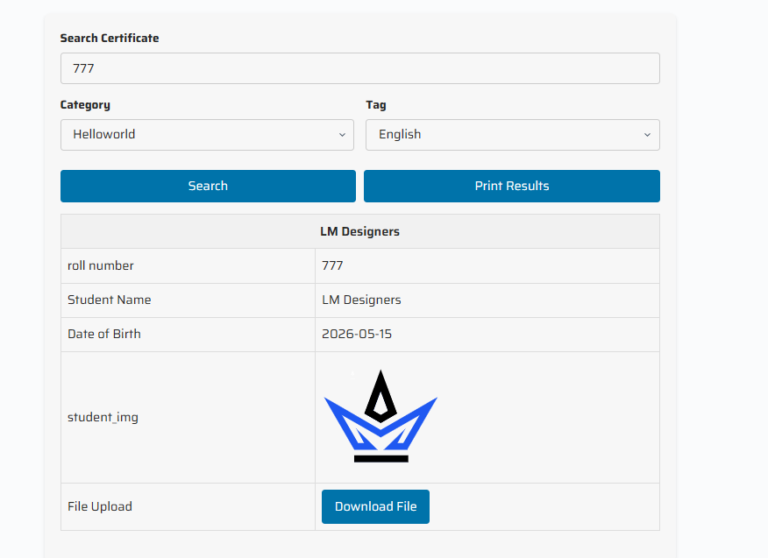
| Search with Category & Tag dropdown filters | Included | Included |
| One-click print search results | Included | Included |
| QR code live verification & scan (0.8s resolution) | Pro Only | |
| Landscape PDF export with safety buffers & font embedding | Pro Only | |
| Elementor design widgets (9 dedicated visual widgets) | Pro Only | |
| Native Gutenberg Block & Full Site Editing (FSE) | Pro Only | |
| Dual Template Engine: Custom HTML/CSS Studio with live preview | Pro Only | |
| Category-specific layout templates | Pro Only | |
| Viral LinkedIn & WhatsApp 1-click credential sharing | Pro Only | |
| Automated sequential serial numbering & custom prefix | Pro Only | |
| Privacy Shield: XML sitemap exclusion (Yoast, Rank Math, Core) & noindex | Pro Only | |
| Search preloader animations & configurable timer (1-10s) | Pro Only | |
| Google reCAPTCHA v3 bot protection | Pro Only | |
| Copy protection (anti-scraping right-click & drag disable) | Pro Only | |
| Automated HTML email dispatch on publish with dynamic tags | Pro Only | |
| Bulk CSV importer with field mapping & demo templates | Pro Only | |
| Automatic expiry control & validity badges | Pro Only | |
| Full whitelabel & agency rebranding (hide branding & colors) | Pro Only | |
| WooCommerce & LMS auto-generation extensions compatible | Pro Only | |
| Priority support & automatic one-click updates | Pro Only | |
| Multi-Post Type Setup (Separate CPTs for Badges & Diplomas) | Version 1.4 Update |
Use Cases: Which Version Fits Your Real-World Needs?
1. For Schools, Colleges, and Online Academies
If you run a school, university, or an online coaching program, your students need real proof of completion that employers can verify in seconds.
- With Free: You must enter every student’s name, roll number, and graduation date one by one. There is no automated QR code verification, so employers cannot quickly check credentials from their phone.
- With Pro: You can upload an Excel or CSV file with 500 students at once. Each certificate automatically gets a unique QR code. When an employer scans it with a phone camera, it instantly shows the student’s verified card. Students can also download a clean, high-resolution PDF certificate with one click.
Verdict for Schools: CertifyPress Pro is the clear choice for schools and academies.
2. For Events, Conferences, and Seminars
Event organizers need to issue participation awards, attendance badges, and VIP check-in cards.
- With Free: You can show attendee information on your site, but there is no fast way to verify passes at the entrance door.
- With Pro: Your staff can scan the QR code printed on the attendee’s badge or phone screen. The verification page opens in less than 0.8 seconds without requiring any special scanning app. Attendees can also share their badges directly to their LinkedIn profiles with a single click.
Verdict for Events: Pro saves hours of registration desk headache.
3. For Healthcare Clinics and Diagnostic Labs
Clinics, testing laboratories, and medical training centers handle sensitive documents like CPR certifications and lab test results.
- With Pro: You get the Privacy Shield feature. This tells Google and search engine bots not to index patient or student verification links in public search results. You also get an automatic expiry date feature that shows whether a medical license is still active or expired.
Verdict for Healthcare: Pro is necessary for privacy protection and expiry tracking.
4. For Trade Bodies and Government Regulators
Issuing building permits, business licenses, and contractor certifications. Citizens and inspectors can search records by license number or corporate ID through a clean search widget with bot protection.
What is the Version 1.4 Mega Update?
Right now in Version 1.3.0, all certificates are stored under one main certificate section in WordPress. But many customers asked: “What if our university issues both academic degrees AND sports badges? Can we separate them?”
That is why Version 1.4 is introducing the Multi-Post Type Setup:
- Separate Sections: Create independent post types for Diplomas, Event Badges, Staff IDs, or Permits.
- Different Web Links: Use separate links like
yoursite.com/diplomas/andyoursite.com/events/. - Custom Search Pages: Put a dedicated diploma search box on your university page, and an event search box on your conference page.
- Staff Permissions: Let event managers edit only event badges while teachers edit school certificates.
Good news: Anyone who buys a Pro license today will get the Version 1.4 Mega Update at no extra cost when it launches.
Final Recommendation
If you just want to test how certificate publishing works on WordPress, install the Free version from WordPress.org.
However, if you are building a real website for a school, college, training program, or conference, upgrading to CertifyPress Pro will save you countless hours of manual work and give your students a modern, trustworthy experience.
Ready to Get Started?
Download CertifyPress Pro today, set up your templates in minutes, and prepare for the Version 1.4 update.
Instant key delivery · 100% self-hosted on your WordPress server · All updates included